
🧾 Receipts and scanning
Attach receipts, or scan a paper one to fill the form.
Updated 22 November 2026
Any transaction can keep receipts: More options → Receipts → + (camera, Photos or Files). Tap one to see it full screen, zoom or share it. In your lists, a paperclip next to the title shows which transactions have one.
Scanning a paper receipt (Pro)
- Start a new transaction and tap Scan in the top-right of the amount card.
- Take a photo of the receipt, or pick one from Photos.
- Clarifyi reads it on your phone and fills in the total, date, time and a category guess. Check it, then Save.
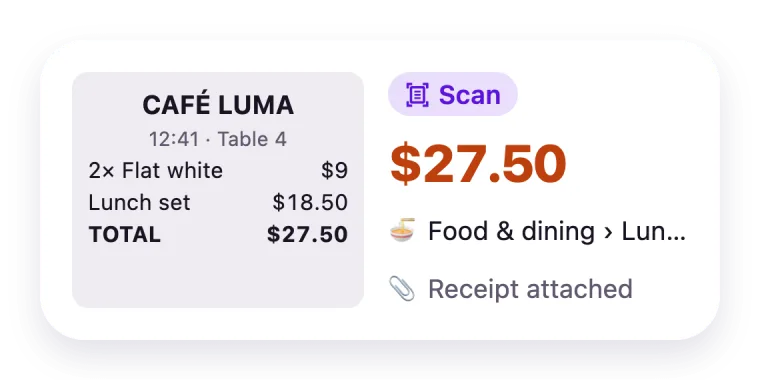
- Nothing you’ve already typed is overwritten: if you entered an amount first, the receipt is just attached.
- Reading happens on your iPhone; the photo never leaves it.
- A food receipt is titled after the meal by its time (Lunch, Dinner…), with the shop’s name in the notes.