
✈️ Trips and travel mode
Keep a trip’s spending together and out of your budgets.
Updated 20 November 2026
Trips are part of Pro. Pull Overview down past the top and let go to start travel mode (or Settings → Travel mode). While it’s on, new spending goes on the trip, in the trip’s currency.
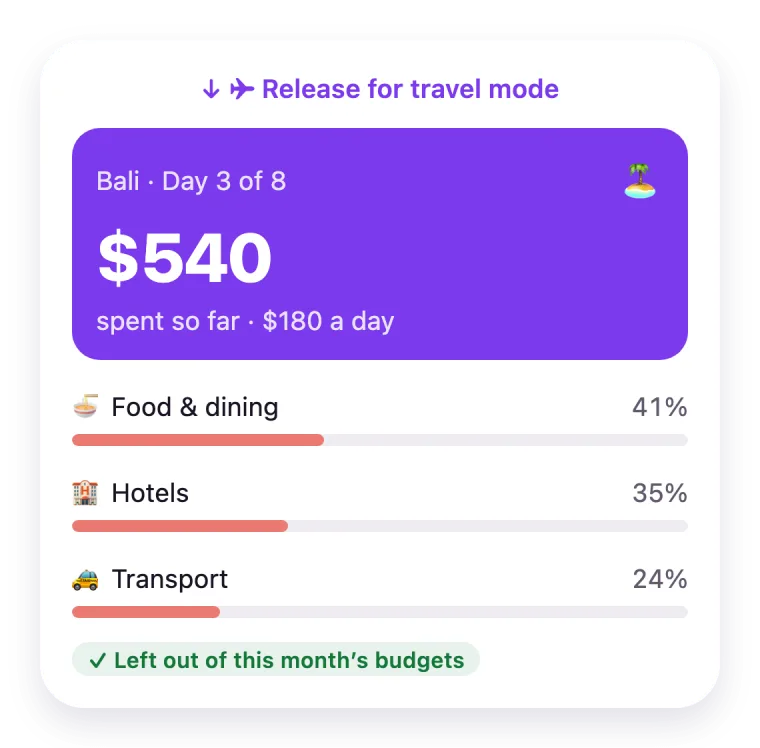
- The trip’s page shows what you’ve spent, per day, against its budget, by category and day by day.
- Trips are left out of your monthly budgets and spending charts, so a holiday doesn’t ruin your month. Your balances and net worth still count everything.
- Booked flights or a hotel early? On the trip’s page, “Add earlier bookings” puts them on it.
- Planning ahead: add a trip with future dates and Clarifyi asks “Ready for …?” on its first morning, to turn travel mode on.